Shopify Pages

Collections List Page

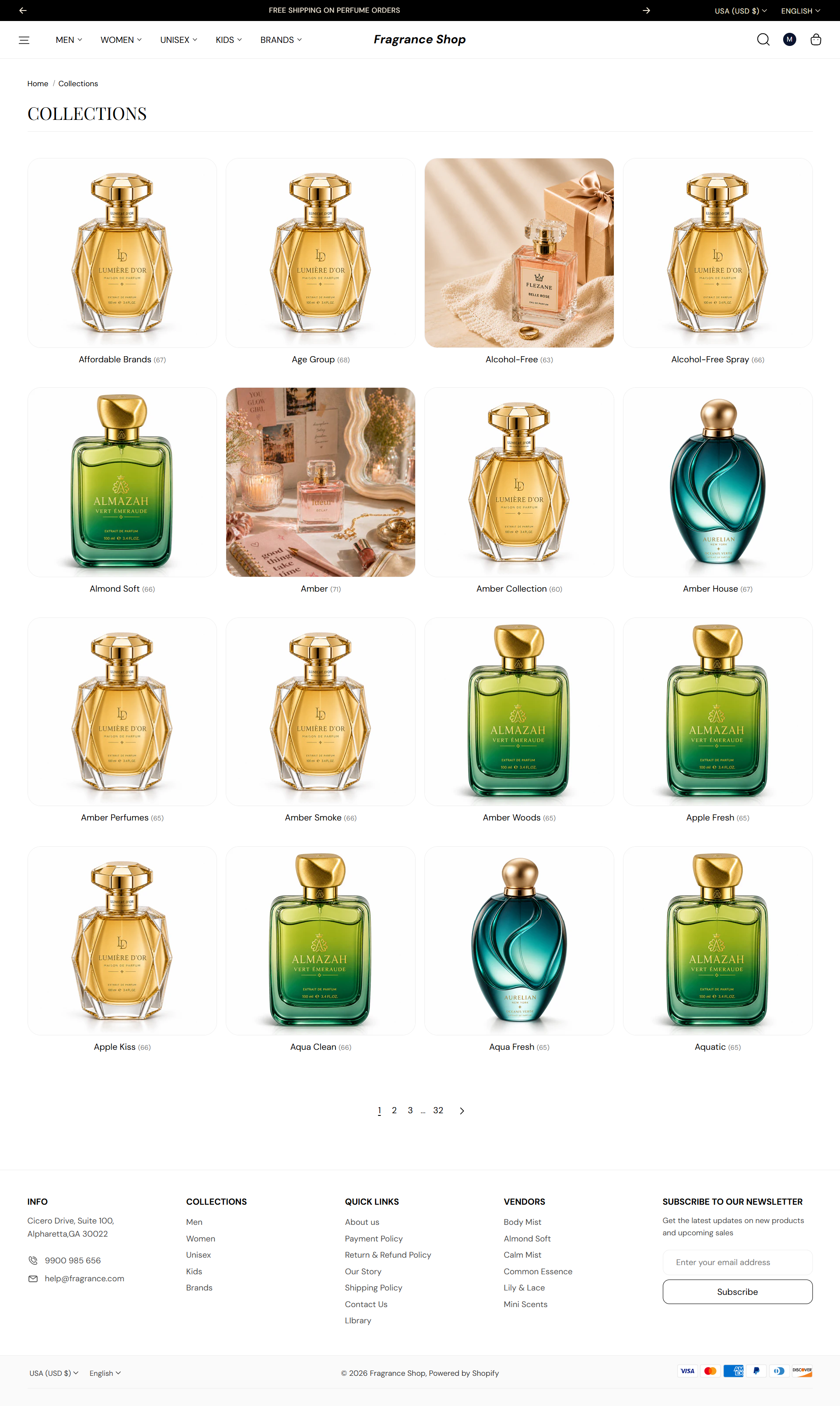
The Collections list page shows every collection in your store as a grid of cards. Customers browse categories here before opening a single collection—customize card style, page size, and spacing in the theme editor.

Storefront preview

Fragrance Shop collections list page showing collection cards in a grid

Storefront → Collections list

How to open this page

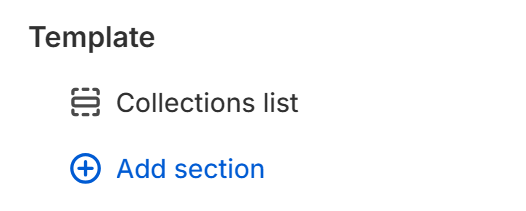
Collections list template in the Fragrance Shop theme editor sidebar

Theme editor → Collections list → Template

Collection grid

Collections per page

Sets how many collection cards appear before pagination. Default: 16 · Range: 4–40 · Step: 4

Usage

  • Lower the number for a shorter page when you have few collections.
  • Raise it when you run a large catalog and want fewer pagination clicks.

Collection cards

Image ratio

Sets the aspect ratio for each collection image. Default: 1:1 – Square

Usage

  • Pick Auto to show the full image without cropping.
  • Fixed ratios keep the grid visually even across collections.

Image corner radius

Rounds collection image corners using your theme's border radius presets. Default: Extra large radius

Usage

  • Match product card or blog image radius for a consistent storefront.

Image padding

Adds space between the collection image and the card edge. Default: 0 px · Range: 0–16 px

Usage

  • Increase padding when using a card background color so images feel inset.

Card background color

Sets the background behind each collection card. Default color: #FAFAFA

Usage

  • Use a light tint to separate cards from the page background.
  • Pair with Multiply blend mode for white-background JPG images.

Image blend mode

Chooses how the collection image blends with the card background. Default: Normal

Usage

  • Pick Multiply when collection images have white backgrounds and you use a light card color.
  • Leave on Normal for transparent PNGs or full-bleed photos.

Image fit

Controls how the image fills its frame inside the card. Default: Cover

Usage

  • Pick Cover to fill the frame—edges may crop.
  • Pick Contain to show the full image with possible empty space.

Card content

Show product count

Shows how many products are in each collection on the card. Default: On

Usage

  • Turn on to help customers gauge collection size at a glance.
  • Turn off for a cleaner card with only the collection title.

Show description

Shows a short excerpt from each collection's description. Default: Off

Usage

  • Turn on when collection descriptions add useful context, such as scent families or price ranges.
  • Write concise descriptions in Products → Collections in Shopify admin.

Description word limit

Caps how many words appear when Show description is on. Default: 25 · Range: 6–30

Usage

  • Lower the limit to keep cards the same height in the grid.
  • Only applies when Show description is turned on.

Section spacing

Section spacing

Adds empty space above and below this section on desktop and mobile.

Usage

  • Top padding (desktop) — Default: 40 px · 0–100 px
  • Bottom padding (desktop) — Default: 40 px · 0–100 px
  • Top padding (mobile) — Default: 40 px · 0–100 px
  • Bottom padding (mobile) — Default: 40 px · 0–100 px
  • When you move the slider, the gap above or below grows or shrinks