Theme Sections

Custom Liquid

Custom Liquid lets you add your own HTML or Liquid markup inside a theme section. Use it for small custom snippets, third-party embeds, or Liquid logic that is not covered by other sections.

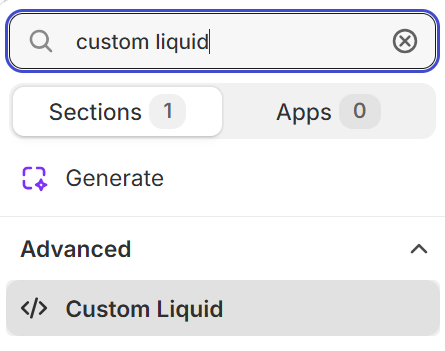
Where to find this section

Custom Liquid in the Advanced group of the Fragrance Shop theme editor section picker

Theme editor section picker

Custom Liquid

Custom Liquid

Code editor for HTML or Liquid markup rendered inside a centered page container. Maximum size: 50 KB. Cannot access section, settings, or schema objects, and cannot load external scripts or stylesheets through this field.

Usage

  • Use for small custom snippets, badges, or Liquid output from objects already available in the template.
  • Test changes on a duplicate theme before publishing to your live store.
  • Leave blank to hide the section output on the storefront.
  • For larger customizations, prefer a dedicated section or snippet in the theme codebase.

Section spacing

Section spacing

Adds empty space above and below this section on desktop and mobile.

Usage

  • Top padding (desktop) — Default: 40 px · 0–100 px
  • Bottom padding (desktop) — Default: 40 px · 0–100 px
  • Top padding (mobile) — Default: 40 px · 0–100 px
  • Bottom padding (mobile) — Default: 40 px · 0–100 px
  • When you move the slider, the gap above or below grows or shrinks