Theme Sections

Full-width media

Full-width media adds a centered heading and subheading above a large video—YouTube, Vimeo, or Shopify-hosted. Control container vs edge-to-edge width, video shape, corner radius, and playback behavior.

Storefront preview

Full-width media section preview on the Fragrance Shop storefront

Storefront preview

Where to find this section

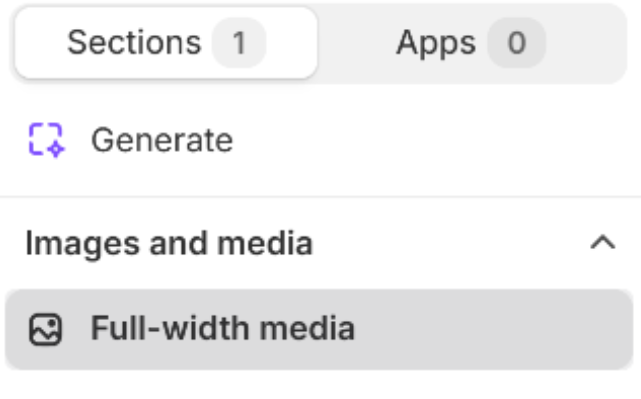
Full-width media in the Add section list under Images and media

Theme editor section picker

Section content

Heading

Main title above the video (for example Inside the fragrance ritual).

Usage

  • Keep it short for a centered hero-style title.
  • Leave blank to hide the heading and show only the subheading or video.

Subheading

Supporting line under the heading (for example A closer look at the notes, textures, and details behind every bottle.).

Usage

  • Add one or two sentences to explain what the video shows.
  • Leave blank to show the heading and video only.

Make section full width

Expands the media area to the full page width when turned on. When off, the video stays within the page container. Default: Off.

Usage

  • Turn on for edge-to-edge video across the screen.
  • Keep off for a contained width with rounded corners, as in the storefront preview.
  • When full width is on, corner radius stays flush at the screen edges per theme behavior.

Video source

External video URL

Embeds a video from YouTube or Vimeo using the share or watch link. A preview thumbnail appears when the URL is valid.

Usage

  • Paste a public YouTube or Vimeo URL for brand films, B-roll, or tutorials.
  • External embeds show the platform player (for example YouTube play and Watch on YouTube).
  • If a Shopify-hosted video is selected, it replaces the external URL.

Shopify-hosted video

Uploads or selects a video from your store files. Used instead of the external video URL when a file is selected.

Usage

  • Use for self-hosted clips without third-party branding or ads.
  • Pair with Playback settings for autoplay, loop, mute, and controls.
  • Remove the selection to fall back to the external URL.

Video display

Video ratio

Sets the shape of the video frame. Options include Auto – Original, square, portrait, landscape, and cinematic ratios. Default: Auto – Original.

Usage

  • Use Auto – Original to respect the video’s native proportions.
  • Pick a fixed ratio (for example 16:9) for a consistent block size across pages.

Media corner radius

Rounds the video corners using presets from Theme settings → Border radius. Full-width media stays flush when the section spans edge to edge. Default: Extra large radius.

Usage

  • Match radius presets used on images and cards elsewhere in the theme.
  • With Make section full width off, rounded corners are most visible on container-width layouts.

Playback

Autoplay

Starts playback automatically when the video loads. Applies primarily to Shopify-hosted video. Default: Off.

Usage

  • Turn on with Mute on for ambient background loops.
  • Many browsers require muted autoplay; external embeds follow platform rules.

Loop

Repeats the video when it ends. Default: On.

Usage

  • Keep on for short brand loops on the homepage.
  • Turn off for longer stories where viewers should reach an end state.

Mute

Plays the video without sound by default. Default: On.

Usage

  • Leave on for autoplay-friendly, non-intrusive hero video.
  • Turn off when sound is part of the experience and autoplay is off.

Show video controls

Shows play, pause, and volume controls on Shopify-hosted video. Default: Off.

Usage

  • Turn on when visitors should pause, scrub, or adjust volume.
  • Keep off for a cleaner cinematic look; external embeds use their own controls.

Section spacing

Section spacing

Adds empty space above and below this section on desktop and mobile.

Usage

  • Top padding (desktop) — Default: 40 px · 0–100 px
  • Bottom padding (desktop) — Default: 40 px · 0–100 px
  • Top padding (mobile) — Default: 40 px · 0–100 px
  • Bottom padding (mobile) — Default: 40 px · 0–100 px
  • When you move the slider, the gap above or below grows or shrinks