Theme Sections

Product description

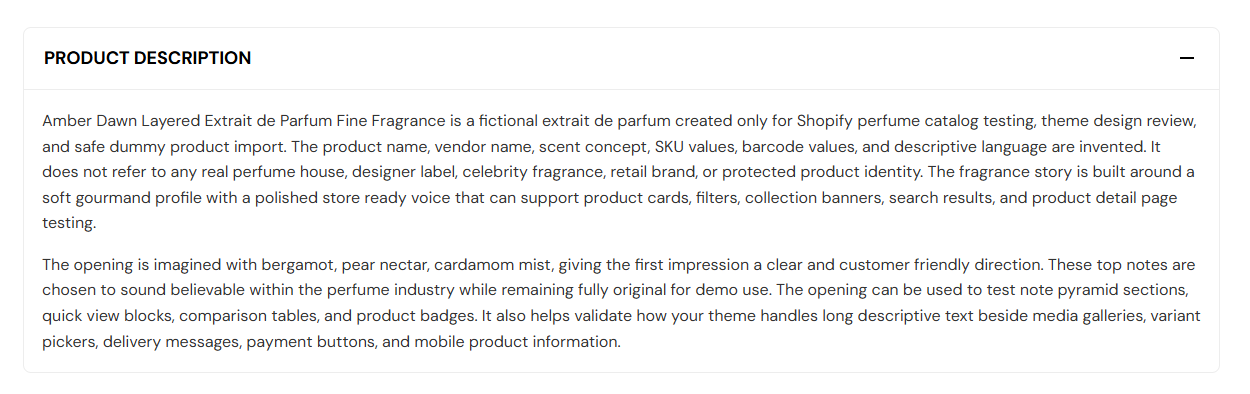
Product description shows the product’s full description in a collapsible panel on the product page. Set the panel heading, choose whether it opens when the page loads, and adjust spacing above and below the section.

Storefront preview

Product description section preview on the Fragrance Shop product page

Storefront preview

Where to find this section

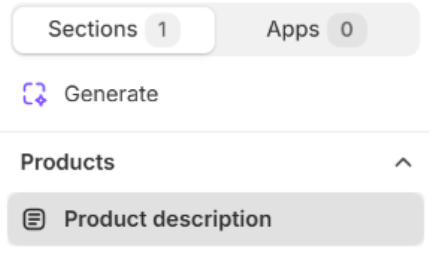
Product description section on the Default product template in the Fragrance Shop theme editor

Theme editor → Default product template

Content

Heading

Title on the collapsible panel (for example Product description). Default: Product description. The body text comes from the product’s description in Shopify Admin.

Usage

  • Keep the default label or rename it to match your brand (About this scent, Details).

Display

Open by default

Shows the full product description when the page loads instead of collapsed. Default: On.

Usage

  • Turn on so customers see notes and ingredients without an extra click.
  • Turn off to keep the product page shorter; customers expand the panel when needed.

Section spacing

Section spacing

Adds empty space above and below this section on desktop and mobile.

Usage

  • Top padding (desktop) — Default: 40 px · 0–100 px
  • Bottom padding (desktop) — Default: 40 px · 0–100 px
  • Top padding (mobile) — Default: 40 px · 0–100 px
  • Bottom padding (mobile) — Default: 40 px · 0–100 px
  • When you move the slider, the gap above or below grows or shrinks