Theme Sections

FAQ

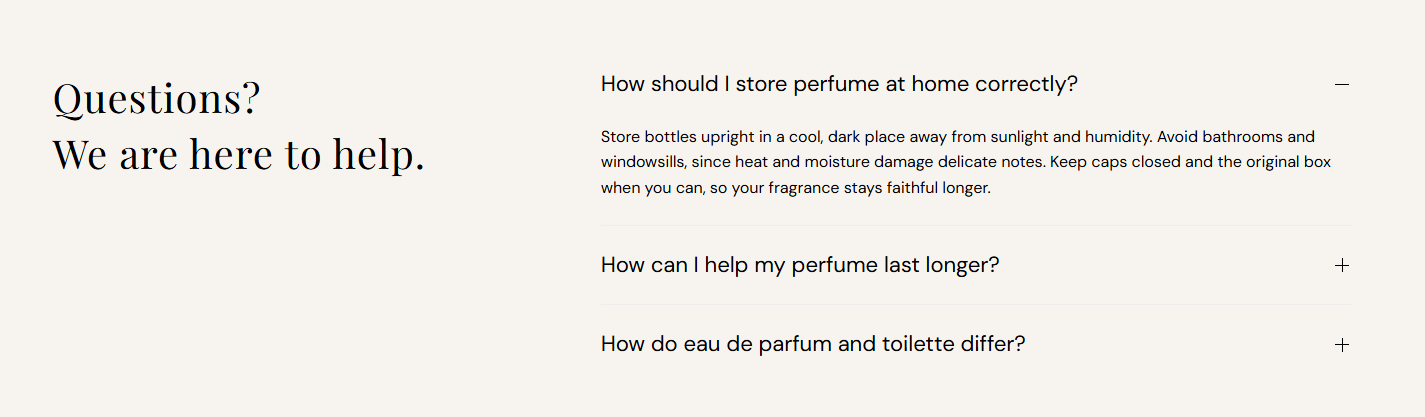
FAQ pairs a section heading with an accordion list of questions and answers. Add FAQ item blocks for shipping, returns, fragrance care, or product guidance, and choose which item opens when the page loads.

Storefront preview

FAQ section preview on the Fragrance Shop storefront

Storefront preview

Where to find this section

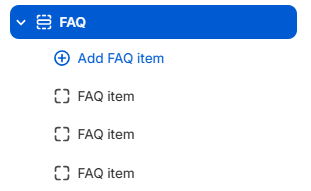
FAQ section and FAQ item blocks in the Fragrance Shop theme editor

Theme editor section list

Content

Heading

Main title shown in the left column beside the accordion list. Supports line breaks. Default: Questions? We are here to help.

Usage

  • Keep it short and reassuring so customers know help is available.
  • Press Enter in the field to split the heading onto two lines on the storefront.
  • Leave blank to hide the heading and show only FAQ items.

Color

Text color for the left-column section heading beside the accordion list. Default color: #000000.

Usage

  • Ensure strong contrast against the section background.
  • Check readability on desktop and mobile—the heading stacks above the list on smaller screens.

Appearance

Background color

Background color for the entire FAQ section. Default color: #F9F4F0.

Usage

  • Use a soft neutral to separate the FAQ block from surrounding sections.
  • Match page or footer background tones for a cohesive look.

Heading color

Text color for each question label in the accordion list. Default color: #000000.

Usage

  • Keep question text easy to scan at a glance.
  • Ensure contrast against the section background and expanded answer text.

Description color

Text color for FAQ answers when a question is expanded. Default color: #000000.

Usage

  • Use a readable tone for longer answer copy and links.
  • Slightly softer than the question color if you want clearer hierarchy between question and answer.

Border color

Color of the divider line between each FAQ item in the accordion list. Default color: #EDEDED.

Usage

  • Use a light border so rows stay separated without feeling heavy.
  • Adjust if dividers disappear or look too strong on your background color.

FAQ item block

Question

The clickable question label shown on each accordion row (for example How should I store perfume at home correctly?).

Usage

  • Add one FAQ item block per question with Add FAQ item.
  • Write questions in plain language customers would search for.
  • Leave blank to hide that block from the storefront.

Answer

Rich text answer shown when the question is expanded. Supports paragraphs, links, and basic formatting.

Usage

  • Keep answers concise; use one or two short paragraphs when possible.
  • Link to shipping, returns, or policy pages when a full answer lives elsewhere.

Open by default

Expands this FAQ item when the page loads. Default: Off for most items; the first preset item opens by default.

Usage

  • Turn on for the most common question so customers see an answer immediately.
  • Only one item needs to be open on load; others stay collapsed until clicked.

Section spacing

Section spacing

Adds empty space above and below this section on desktop and mobile.

Usage

  • Top padding (desktop) — Default: 40 px · 0–100 px
  • Bottom padding (desktop) — Default: 40 px · 0–100 px
  • Top padding (mobile) — Default: 40 px · 0–100 px
  • Bottom padding (mobile) — Default: 40 px · 0–100 px
  • When you move the slider, the gap above or below grows or shrinks