Theme Sections

Trust indicators

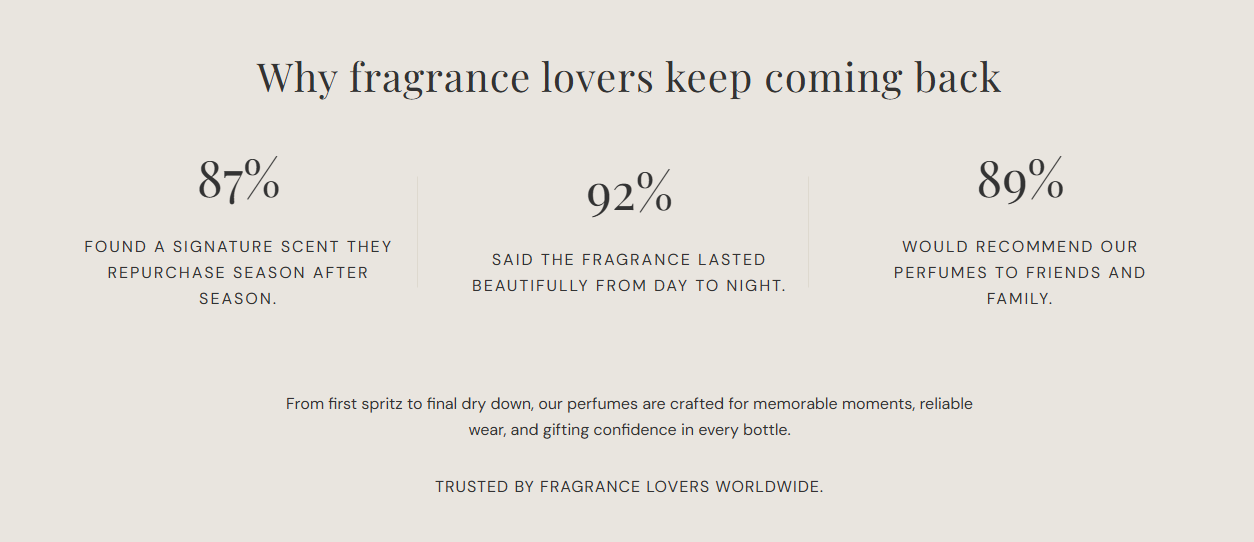
Trust indicators highlights key stats—percentages, counts, or short figures—with supporting descriptions. Add up to six statistic blocks beneath a heading to reinforce product quality, customer satisfaction, or brand credibility.

Storefront preview

Trust indicators section preview on the Fragrance Shop storefront

Storefront preview

Where to find this section

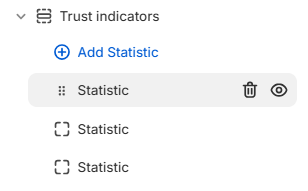
Trust indicators section and Statistic blocks in the Fragrance Shop theme editor

Theme editor section list

Appearance

Background color

Fill color for the entire section behind the heading, stats, and description. Default color: #F8F7F3.

Usage

  • Use a soft neutral to separate this trust row from surrounding sections.
  • Match warm page tones common on beauty and fragrance storefronts.

Text color

Color for the heading, statistic values, descriptions, and bottom paragraph. Default color: #333333.

Usage

  • Ensure readable contrast against the background color you choose.
  • Sets the color for the heading, stats, descriptions, and bottom line across every statistic block.

Section content

Heading

Main title centered above the statistic row (for example Why fragrance lovers keep coming back).

Usage

  • Frame the stats with a short, benefit-led headline.
  • Leave blank to hide the heading and show only statistics and the description.

Description

Supporting paragraph shown below the statistic blocks. Use it to expand on the numbers with brand context or a closing message.

Usage

  • Keep it to one or two sentences so the stats remain the focal point.
  • Leave blank to show only the heading and statistic blocks.

Statistic block

Statistic value

The bold figure shown for this block (for example 87%, 10K+, or 4.9).

Usage

  • Add one Statistic block per stat with Add Statistic (up to six blocks).
  • Use numbers you can stand behind—survey results, repeat purchase rates, or review averages.
  • Leave blank to hide this block from the storefront.

Description

Short explanation beside the statistic value (for example Found a signature scent they repurchase season after season.).

Usage

  • Clarify what the number means in plain language customers understand.
  • Keep each description to one sentence so the row stays scannable on mobile.
  • Leave blank to hide this block from the storefront.

Section spacing

Section spacing

Adds empty space above and below this section on desktop and mobile.

Usage

  • Top padding (desktop) — Default: 40 px · 0–100 px
  • Bottom padding (desktop) — Default: 40 px · 0–100 px
  • Top padding (mobile) — Default: 40 px · 0–100 px
  • Bottom padding (mobile) — Default: 40 px · 0–100 px
  • When you move the slider, the gap above or below grows or shrinks