Text
Rich text body copy for paragraphs, lists, and links. Default: placeholder paragraph about brand or collection storytelling.
Usage
- Add one Text block maximum per section.
- Use for longer explanations, bullet lists, or formatted copy.
Rich text is a flexible content block for headings, captions, body copy, and up to two buttons. Stack Heading, Caption, Text, and Buttons blocks in any order and align the content left, center, or right.
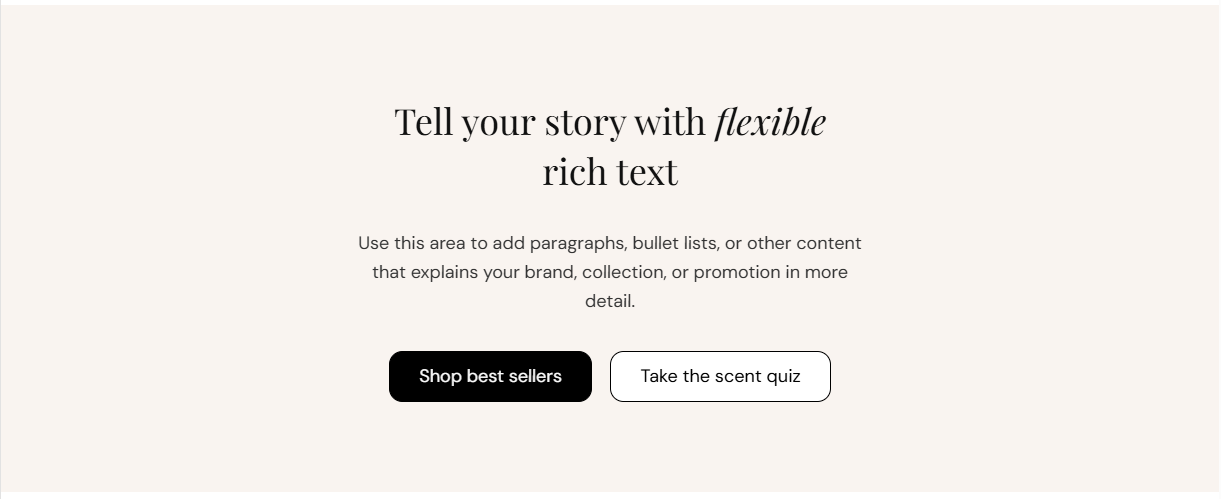
Storefront preview
Themes → Customize → Add section → Rich text
Find it under the Text content group in the section picker. After adding the section, use the block picker to add Heading, Caption, Text, or Buttons blocks (one of each type).
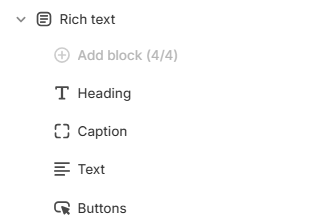
Theme editor section list
Aligns all content in the section—heading, caption, body text, and buttons. Options: Left, Center, or Right. Default: Center.
Usage
Solid fill behind the entire section, shown beneath your content and any background image. Default color: #F9F4F0.
Usage
Main headline for the section. Default: Tell your story with flexible rich text.
Usage
HTML heading level (H1 through H6) used for SEO and page structure. Default: H2.
Usage
Text color for the heading. Default color: #111111.
Usage
Short supporting line shown in a secondary font, typically above or below the heading depending on block order. Default: A short piece of supporting text that appears above or below the headline.
Usage
Text color for the caption. Default color: #666666.
Usage
Rich text body copy for paragraphs, lists, and links. Default: placeholder paragraph about brand or collection storytelling.
Usage
Color for body text. Default color: #333333.
Usage
Adds empty space above and below this section on desktop and mobile.
Usage